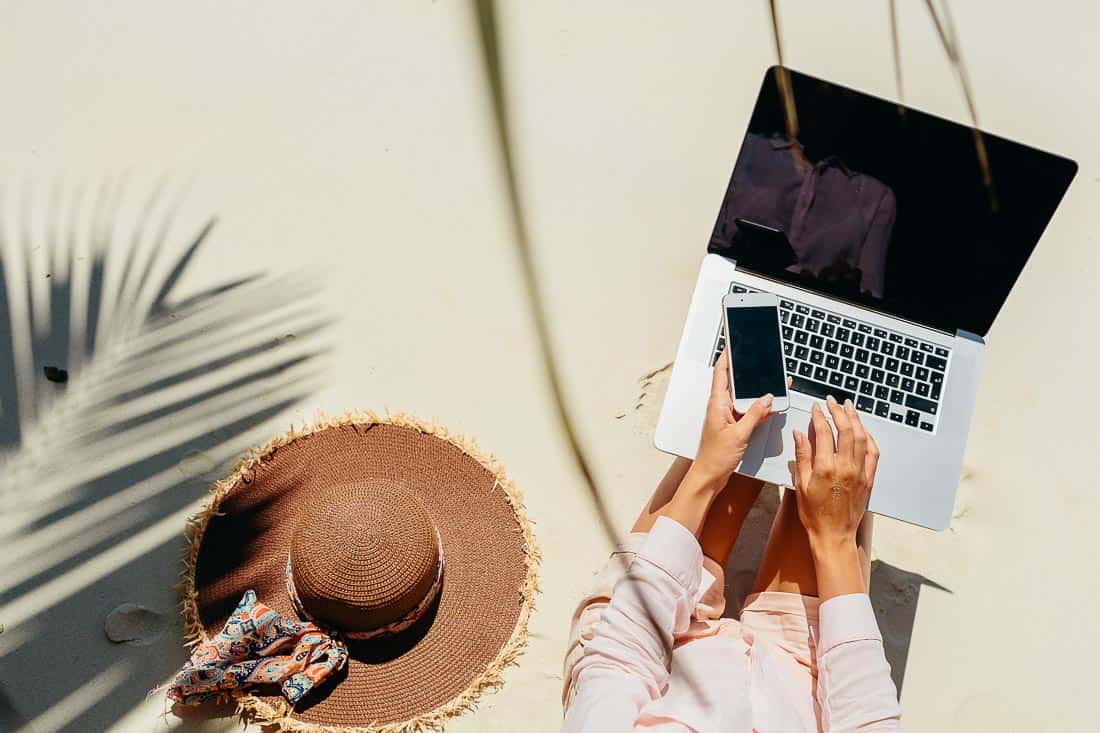
Phones, tablets and laptops make family travel easier. We use them for boarding passes, maps, banking, accommodation bookings, photographs and keeping in touch. That convenience also means one lost device or compromised account can expose a great deal of personal information.
The best protection starts before you leave home. This guide explains practical steps Australian families can take before, during and after an overseas trip.
Last updated: 19 November 2026
This post may contain compensated links. Please refer to my disclaimer here for more information.
Before you travel: secure your devices and accounts
- Update everything: install current operating-system, browser and app updates before departure.
- Use a strong screen lock: protect each device with a long PIN, passphrase or biometrics and set it to lock automatically after a short period.
- Turn on multi-factor authentication: use an authenticator app or another method that will still work overseas. If you rely on SMS codes, confirm that your number and roaming arrangements will work.
- Use passkeys where available: passkeys are more resistant to phishing than passwords. Keep a secure recovery method so you can still access the account if a travel device is lost.
- Back up important data: keep a secure backup at home or in a trusted cloud service. Make sure family photos are backing up during the trip if possible.
- Take only what you need: remove sensitive files and accounts that are not required for the holiday.
- Enable device location and remote erase: check that “find my device” features work before you leave.
- Record essential contacts: keep your bank, insurer and mobile provider contact details somewhere you can access without the missing phone.
The Australian Cyber Security Centre’s overseas travel guidance recommends backing up important files, leaving unnecessary data and devices at home, and securing accounts and devices before departure.
Use public Wi-Fi carefully
Airport, hotel and café Wi-Fi can be useful, but confirm the correct network name with staff before connecting. Fake hotspots can use convincing names, and a familiar-looking login page is not proof that a network is genuine.
- Prefer mobile data or your own hotspot for banking, payments and other sensitive activity.
- Check that websites use https, but remember that scammers can also operate encrypted websites—always confirm the web address.
- Turn off file sharing, AirDrop or Nearby Share when you do not need them.
- Disable automatic Wi-Fi connection and remove public networks from your saved list when finished.
- Avoid entering important passwords or payment details on shared hotel or internet café computers.
The US Federal Trade Commission notes that widespread website encryption has made public Wi-Fi safer than it once was, but strong passwords, two-factor authentication and current software still matter. Read its public Wi-Fi guidance.
Should you use a VPN while travelling?
A reputable virtual private network can encrypt traffic between your device and the VPN provider and may provide an extra layer of privacy on a network you do not control. It does not make unsafe websites trustworthy, prevent phishing or replace device updates, strong passwords and multi-factor authentication.
If you choose to use one, install and test it before leaving. The VPN service originally referenced in this article can be downloaded here. Check local laws first, as VPN use may be restricted in some destinations.
Control Wi-Fi, Bluetooth and sharing
Turn off Wi-Fi, Bluetooth and near-field communication when you are not using them. This reduces unwanted connections and also saves battery. Do not accept unexpected pairing requests, files or nearby-sharing prompts.
Use your own charger and cable wherever possible. Avoid unknown USB drives, gifted charging cables and shared direct-to-USB charging ports because untrusted accessories can expose a device to malware or data access. A normal power outlet with your own charger is the safer option.
Protect your travel documents and bookings
Boarding passes, passports, visas and booking confirmations contain information that should not be shared publicly. Store digital copies securely and avoid placing unprotected copies in a general photo gallery or email inbox if a more secure document vault is available.
Never post a clear photograph of a passport, boarding pass, travel insurance certificate or ticket barcode. A scenic photograph can also reveal your accommodation through signs, location tags or photo metadata.
It is tempting to post every stop in real time, but public updates can reveal that your home is empty and show exactly where your family is staying.
- Review account privacy settings before the trip.
- Avoid sharing flight numbers, hotel names, room details or live locations.
- Post after leaving a location, or wait until you return home.
- Check photographs for visible passports, room keys, boarding passes and children’s identifying information.
- Do not assume Australian social-media norms or political commentary are acceptable in every country.
Smartraveller provides detailed cyber security advice for overseas travellers, including social-media, device and public-network precautions.
Check destination laws and travel advice
Laws governing online speech, photography, encryption, VPNs and access to devices differ between countries. Some websites and services may be restricted, and border or law-enforcement authorities may have powers that differ from those in Australia.
Check the current Smartraveller advice for every destination and transit point. Do not use a VPN or another tool to bypass a local restriction without first understanding the law and the possible consequences.
What to do if a device is lost or compromised
- Use a trusted device to locate, lock or remotely erase the missing device.
- Contact your mobile provider and suspend the SIM or eSIM if necessary.
- Contact your bank immediately if payment information may be exposed.
- Sign out of active account sessions and change important passwords from a trusted device.
- Do not use the suspected compromised device to change passwords until it has been secured.
- Contact your travel insurer and report theft to local authorities if required for a claim.
Warning signs can include unexpected account activity, unknown messages in a sent folder, repeated crashes, unusual pop-ups and unexplained battery or data use. Australians can find reporting and recovery help through cyber.gov.au.
After you return home
- Review important accounts for suspicious logins or transactions.
- Remove public Wi-Fi networks saved during the trip.
- Update devices again and run trusted security scans where appropriate.
- Change passwords if you believe an account or device was exposed.
- Securely erase any temporary travel device or removable storage you no longer need.
- Confirm that photos and documents have been backed up before deleting anything.
_____________________________________________________________________________________________
Hopefully, you found this guide to keeping your data safe while travelling helpful. Now let’s get back to planning your next holiday—we have destination guides for Asia, Europe and the USA and Canada.